



SIM cards (Subscriber Identity Module) are tiny but essential components of mobile communication. They store crucial information that allows your phone to connect to a mobile network, authenticate your identity, and enable you to make calls, send texts, and access mobile data. But what exactly is stored on a SIM card, and how does it work?
In this detailed guide, we will explore everything that a SIM card stores, its role in mobile security, how it differs from eSIM technology, and whether your personal data is safe on it.
Understanding SIM Cards: A Brief Overview
A SIM card is a small, removable chip embedded with a microcontroller and memory storage that allows mobile devices to communicate with a network. Introduced in the early 1990s, SIM cards have evolved over time in size and functionality, transitioning from full-sized SIMs to mini, micro, and now nano-SIMs.
With the advent of eSIMs (embedded SIMs), physical SIM cards are gradually being replaced, but they still remain widely used globally.
What Data Is Stored on a SIM Card?
A SIM card may be small, but it contains vital information, including:
A. IMSI (International Mobile Subscriber Identity)
The IMSI is a unique number assigned to every SIM card that identifies the subscriber on a mobile network. It consists of:
- Mobile Country Code (MCC): Identifies the country of the network provider.
- Mobile Network Code (MNC): Identifies the specific carrier.
- Mobile Subscription Identification Number (MSIN): A unique subscriber ID assigned by the carrier.
The IMSI is crucial for network authentication, allowing your phone to connect to a mobile provider.
B. Authentication Key (Ki)
Each SIM card contains a secret authentication key (Ki), which is used during network authentication. When you try to connect to a network, the SIM and the mobile network exchange encrypted codes to verify your identity.
C. ICCID (Integrated Circuit Card Identifier)
The ICCID is a unique serial number assigned to every SIM card. It consists of:
- Issuer Identification Number (IIN)
- Country Code
- Unique Serial Number
The ICCID is typically printed on the back of a SIM card and is essential for tracking and managing SIM cards.
D. SMSC (Short Message Service Center) Address
SIM cards store the SMSC number, which acts as an intermediary to handle SMS delivery. Without it, text messages cannot be sent or received.
E. PLMN (Public Land Mobile Network) Data
PLMN settings allow a SIM to store a list of preferred and restricted networks. When roaming, your phone uses this data to determine which networks it can connect to.
F. Phonebook Contacts (Limited Storage)
Older SIM cards allowed users to store phonebook contacts, but modern smartphones typically save contacts in the device’s internal storage or cloud services. A SIM card can still store contacts but in a limited capacity (usually 250–500 entries).
G. SMS Messages (Limited Storage)
SIM cards can store a small number of SMS messages (usually 10-20 texts), but most modern devices store messages directly on the phone.
H. Temporary Network Information
Your SIM card stores temporary network data, including:
- Last connected network details
- Roaming status
- Call forwarding settings
I. Encryption & Security Data
SIM cards use encryption algorithms like A3, A5, and A8 to secure communication, ensuring that calls and messages remain private.
What Is Not Stored on a SIM Card?
Contrary to common misconceptions, a SIM card does not store the following:
- Photos, videos, or multimedia files
- Installed apps and app data
- Call logs and browsing history
- Emails and social media accounts
These are typically stored on a phone’s internal memory or cloud storage, not on the SIM.
Can a SIM Card Be Hacked or Cloned?
While a SIM card itself is encrypted, SIM swap scams and cloning attacks are rising concerns. Here’s how:
1. SIM Swap Scam
Fraudsters trick a mobile carrier into transferring your number to a new SIM they control. This can lead to:
- Unauthorized access to banking apps and emails
- Identity theft
- Financial fraud
2. SIM Cloning
Although rare, hackers can clone SIM card data and create a duplicate card. However, modern SIM encryption makes cloning extremely difficult.
To prevent SIM-related fraud:
- Enable two-factor authentication (2FA) for sensitive accounts.
- Set a SIM PIN code for additional security.
- Avoid sharing personal details with unknown callers claiming to be from your carrier.
What Happens If You Remove a SIM Card?
Removing a SIM card from your phone affects its functionality in the following ways:
- You lose network connectivity (no calls, texts, or data).
- Wi-Fi-based apps (WhatsApp, Facebook, etc.) continue to work.
- Stored SIM contacts and messages remain intact (if saved on SIM).
Can You Transfer SIM Card Data to Another Device?
Yes, but with limitations. You can move a SIM to another phone, but only the data stored on it (IMSI, SMS, contacts) will transfer. Apps, photos, and personal files remain on the phone’s internal memory or cloud storage.
Is It Safe to Store Personal Data on a SIM Card?
A SIM card is relatively secure, but it’s not immune to risks like:
- Loss or theft: Anyone with access to your SIM can use it.
- Carrier tracking: Your carrier can track location data via SIM activity.
- Hacking risks: Though rare, SIM hacking techniques exist.
For better security, consider using encrypted cloud storage and enabling device security settings.
Conclusion
SIM cards store critical network-related information, including IMSI, authentication keys, and limited contacts/messages. While they don’t store multimedia or personal app data, they remain vital for network connectivity.
With advancements in eSIM technology, the future of SIM cards is shifting towards digital, embedded solutions that offer greater security and flexibility. Whether you use a physical SIM or eSIM, securing your mobile identity is essential in today’s digital world.
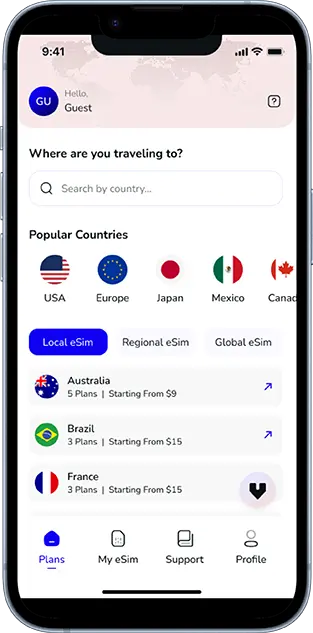
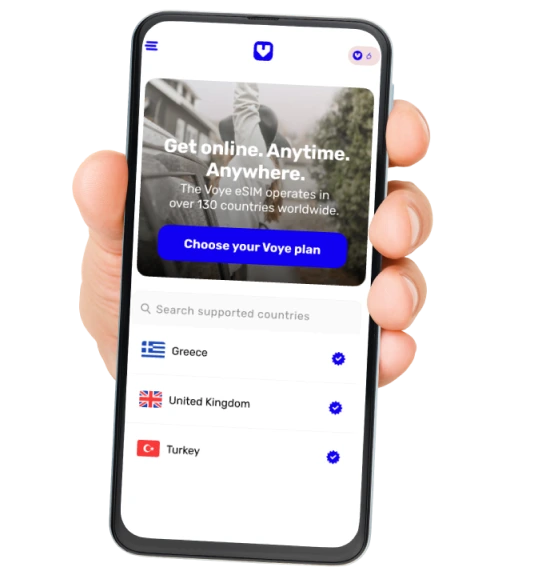
Global Coverage, Local Rates
Experience hassle-free connectivity wherever you go.
Seamless Mobile Data Everywhere













 English