




Traveling opens up a world of experiences, but managing mobile data while exploring new destinations can be tricky. Unexpected roaming charges and limited connectivity can disrupt your adventure. To help you stay connected without overspending, we’ve compiled essential tips for travelers. These strategies will ensure you enjoy seamless internet access and save money on your next journey.
1. Track Your Data Usage to Stay on Budget
One of the most critical tips for travelers is to monitor your data usage closely. Smartphones typically have built-in data usage trackers that can help you stay on top of your consumption. For iPhone users, go to Settings > Cellular to view your data usage. Android users should navigate to Settings > Connections > Data Usage. By regularly checking these statistics, you can avoid surprises and manage your data more efficiently. This proactive approach helps prevent overage charges and ensures you use your data wisely.
2. Leverage Wi-Fi Hotspots for Maximum Savings
Taking advantage of Wi-Fi hotspots is a savvy tip for travelers looking to conserve data. Many hotels, restaurants, and public areas offer free Wi-Fi, which can be a lifesaver for data-heavy tasks such as streaming videos or downloading large files. When using public Wi-Fi, remember to use a VPN to protect your personal information from potential cyber threats. Connecting to secure Wi-Fi networks can significantly reduce your data usage and save you from unexpected charges.
3. Download Essential Maps and Content Before Your Trip
Preloading essential maps and content is a crucial tip for travelers. Apps like Google Maps allow you to download maps for offline use, which can be incredibly useful for navigation without consuming mobile data. Additionally, downloading your favorite TV shows, movies, and music before your trip ensures you have entertainment on hand without needing to use your data while traveling. This simple step can keep you connected to the content you love and prevent excessive data usage.
4. Set Up Data Alerts and Usage Limits
Setting up data alerts and usage limits is a proactive tip for travelers that helps you keep track of your data consumption. Most smartphones offer settings that allow you to set usage limits and receive alerts when you approach your data cap. For iPhone users, go to Settings > Cellular > Cellular Data Usage to set up limits. Android users can access Settings > Connections > Data Usage > Data Saver. These settings help you monitor your data in real time and prevent accidental overages, ensuring you stay within your budget.
5. Opt for an eSIM for Effortless Connectivity
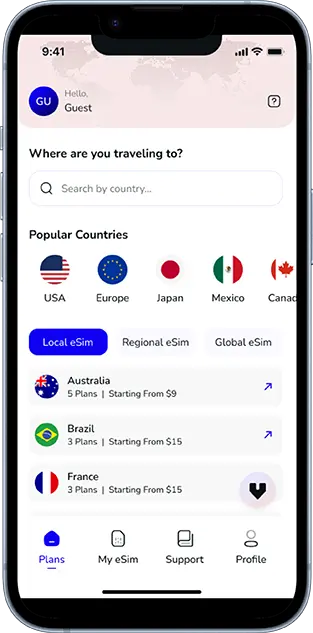
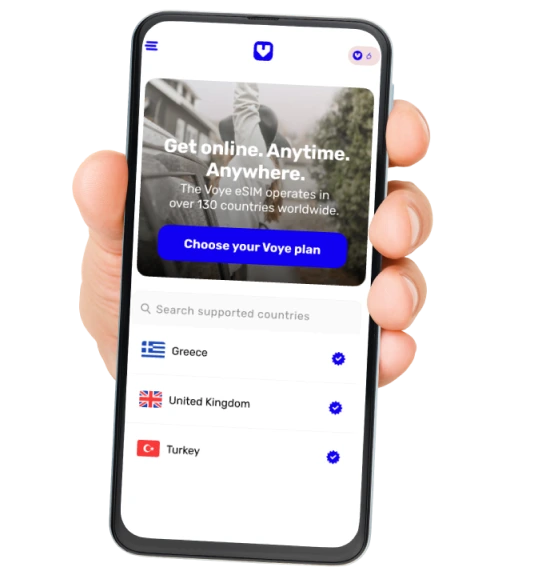
Choosing an eSIM is one of the best tips for travelers seeking hassle-free connectivity. Unlike traditional SIM cards, an eSIM eliminates the need for physical cards and provides a convenient way to activate your plan. With an eSIM, you can choose from various plans tailored to your needs. For more options, you can check out the eSIM Plans from Voye Global. This flexibility allows you to stay connected seamlessly from the moment you arrive at your destination. An eSIM is perfect for both short trips and extended stays, offering a simple and efficient solution for your connectivity needs.
6. Use Data Compression Features to Conserve Data
Enabling data compression is a smart tip for travelers who want to make their data last longer. Many apps, such as Google Chrome, offer data-saving modes that compress web pages before they reach your device. This feature reduces the amount of data used for browsing, making it easier to stay within your data limits. Additionally, consider using apps that provide data-saving features, such as Facebook’s data saver mode. By implementing these strategies, you can enjoy a more efficient use of your data and extend your connectivity.
7. Manage Background Data to Avoid Unnecessary Usage
Controlling background data is an essential tip for travelers to prevent unintentional data consumption. Many apps continue to use data in the background, even when you’re not actively using them. To manage this, restrict background data usage for apps that don’t need constant connectivity. For iPhone users, go to Settings > General > Background App Refresh. For Android users, navigate to Settings > Apps & notifications > App info > Data usage. By adjusting these settings, you can minimize unnecessary data usage and keep your consumption in check.
8. Stream Wisely: Choose Lower Quality for Data Savings
Streaming high-definition videos can quickly deplete your data. A crucial tip for travelers is to select standard definition (SD) streaming whenever possible. Most streaming services, like Netflix and YouTube, allow you to adjust the video quality settings. By opting for SD streaming, you can significantly reduce your data usage. For example, Netflix users can choose lower video quality settings to conserve data while enjoying their favorite shows. This approach helps you make the most of your data plan and avoid running out of data too soon.
9. Embrace Messaging Apps for Efficient Communication
Using messaging apps is an efficient tip for travelers looking to manage data usage effectively. Apps like WhatsApp and Facebook Messenger use less data compared to traditional SMS and voice calls. For text messaging and voice calls, these apps offer a more data-efficient alternative. However, be mindful of sending large files or participating in video calls, as these activities can consume more data. Utilizing messaging apps for regular communication helps you stay connected while managing your data usage more effectively.
10. Optimize Data Settings in Apps for Better Control
Adjusting data settings in your apps is a valuable tip for travelers to ensure efficient use of your data. Many apps have built-in settings that allow you to control how much data they use. For example, social media apps often let you disable autoplay for videos, which can save a significant amount of data. Similarly, apps like email clients can be configured to sync less frequently, reducing the amount of data used for checking emails. By fine-tuning these settings, you can better manage your data consumption and avoid exceeding your limits.
Global Coverage, Local Rates
Experience hassle-free connectivity wherever you go.
Conclusion
By incorporating these tips for travelers, you can efficiently manage your mobile data and avoid unexpected charges while exploring new destinations. Whether you opt for an eSIM for seamless connectivity or use data-saving features and Wi-Fi hotspots, being mindful of your data consumption ensures a smooth and enjoyable travel experience. Stay connected, save money, and make the most of your adventures with these practical strategies.
Seamless Mobile Data Everywhere













 English