




In today’s hyperconnected world, staying in touch while traveling abroad is crucial, whether for personal connections or business purposes. However, encountering international roaming issues can be frustrating and disruptive. This blog aims to explore why international roaming might not work, troubleshoot common problems, and offer solutions to ensure seamless connectivity during your travels.
Understanding International Roaming
International roaming allows your mobile phone to operate in a foreign country using a local network provider’s infrastructure. This service is made possible through partnerships between your home network and international carriers. While convenient, roaming services can occasionally fail due to technical, compatibility, or configuration issues.
Common Reasons Why International Roaming Stops Working
- Service Activation Issues
- Roaming not activated with your provider.
- Insufficient credit or an expired plan for prepaid users.
- Network Compatibility Problems
- Incompatibility between your phone’s bands and the local carrier’s network.
- Lack of 4G/5G support in the region.
- SIM Card or eSIM Problems
- SIM not configured correctly for roaming.
- Physical damage to the SIM card.
- Device Settings and Configuration
- Airplane mode is turned on.
- Roaming is disabled in device settings.
- Regulatory Restrictions
- Country-specific restrictions on certain carriers or network bands.
- SIM locking by your home carrier.
- Network Overload or Technical Glitches
- High traffic during peak times.
- Temporary outages on local networks.
Say Goodbye to Roaming Hassles
Switch to eSIM for a smoother travel experience.
Troubleshooting Steps for International Roaming Issues
1. Verify Roaming Activation
- Check with Your Provider: Contact your carrier to confirm that international roaming is activated on your account.
- Top-Up Your Plan: Ensure you have adequate credit or a valid roaming package.
2. Restart and Reconfigure Your Device
- Turn off Airplane Mode and restart your phone.
- Toggle roaming settings on and off in your device’s settings.
- Reset your network settings.
3. Manually Select a Network
- Go to your phone’s network settings and search for available networks.
- Manually select a carrier from the list, prioritizing your provider’s partner networks.
4. Inspect Your SIM Card or eSIM
- Remove the SIM card, clean it gently, and reinsert it.
- If you’re using an eSIM, ensure the correct profile is activated.
5. Update Your Device
- Install the latest software updates for your operating system and carrier settings.
6. Switch Between Network Modes
- Switch between 4G, 3G, and 2G modes to see if a lower bandwidth works.
7. Contact Your Carrier
- Use alternate communication methods (Wi-Fi or another device) to reach customer support.
When to Consider Alternatives to International Roaming
1. eSIM Technology
- eSIMs are a digital alternative to physical SIM cards and offer seamless switching between carriers.
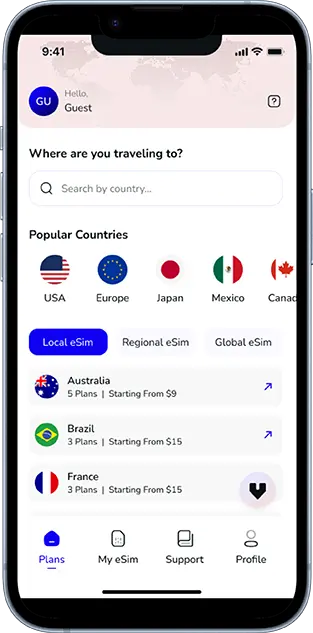
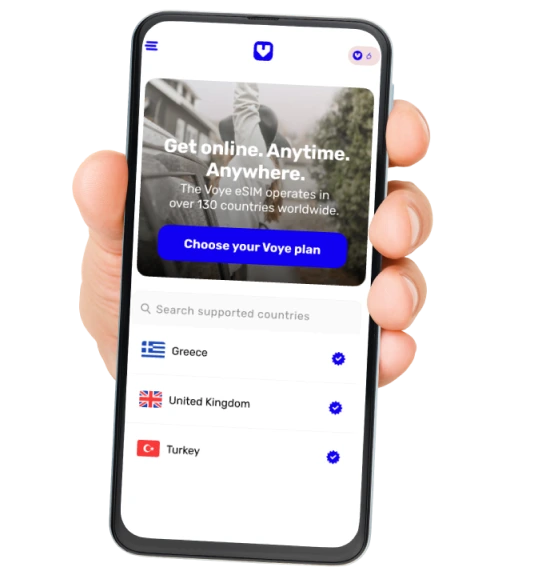
- Brands like Voye Global provide reliable eSIM solutions for travelers, enabling affordable data connectivity in 130+ countries.
2. Local SIM Cards
- Purchase a local prepaid SIM card upon arrival for cost-effective communication.
3. Global SIM Cards
- Global SIM cards work across multiple countries without needing frequent replacements.
4. Portable Wi-Fi Hotspots
- Rent or purchase a portable Wi-Fi device to ensure uninterrupted internet access.
5. VoIP Services
- Use apps like WhatsApp, Skype, or Zoom over Wi-Fi for calls and messages.
Preventative Measures for Smooth Roaming
- Pre-Travel Checklist
- Test your roaming functionality before departure.
- Note down your carrier’s support contact details.
- Plan Selection
- Choose a roaming package tailored to your destination and usage.
- Compare costs between roaming and local options.
- Data Management
- Disable background apps to conserve data.
- Monitor your usage to avoid exceeding limits.
- Backup Connectivity
- Carry a backup phone or dual-SIM device for emergencies.
Ditch Roaming Issues with eSIM
Travel smarter with reliable, global connectivity.
The Role of eSIM in Revolutionizing International Connectivity
eSIM technology eliminates many traditional roaming issues by allowing users to download and switch between carrier profiles effortlessly. With eSIMs, you can:
- Avoid high roaming charges.
- Access multiple carrier options on a single device.
- Activate a plan instantly, even before traveling.
Why Voye Global eSIM?
Voye Global’s eSIMs offer high-speed, affordable internet with flexible plans for travelers. Coverage extends to over 130+ countries, making it an ideal solution for international roaming.
Frequently Asked Questions (FAQs)
Q: Why can’t I receive calls while roaming?
A: This might be due to insufficient credit, incorrect call forwarding settings, or compatibility issues with the local network.
Q: How can I avoid excessive roaming charges?
A: Opt for an eSIM, buy a local SIM card, or use data packages offered by your carrier.
Q: Can I activate roaming after arriving abroad?
A: Yes, but activation might require Wi-Fi access to update your device’s settings.
Q: What should I do if my phone is locked to a specific carrier?
A: Contact your provider to unlock your phone or use an alternative device.
Conclusion
Experiencing international roaming issues can be stressful, but understanding the causes and taking proactive steps can prevent or resolve most problems. For those seeking a hassle-free solution, eSIMs like those offered by Voye Global provide a reliable and affordable alternative to traditional roaming. Equip yourself with the right tools and knowledge to stay connected wherever your travels take you.
Seamless Mobile Data Everywhere













 English
  العربية
  日本語
日本語