One eSIM for a Borderless World
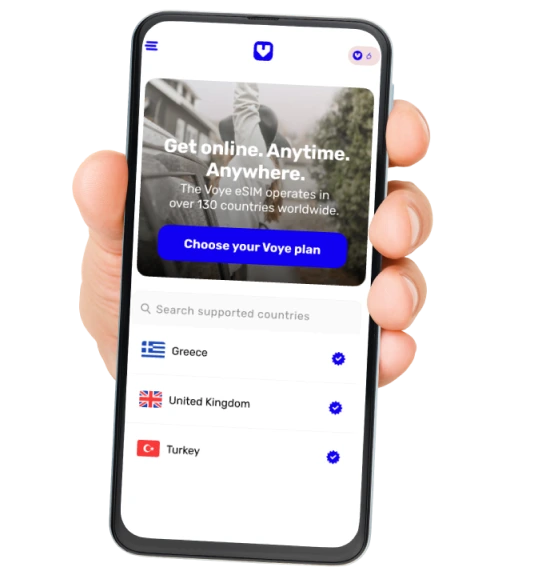
Traveling across multiple countries? Say goodbye to the hassle of switching SIM cards or dealing with unpredictable roaming fees. With Voye Global’s eSIM, you get uninterrupted high-speed data across 130+ countries, ensuring a smooth and seamless connection wherever your journey takes you.
Effortless, Instant, and Reliable Connectivity
Whether you’re a business traveler, backpacker, or a digital nomad, staying online has never been easier. Our eSIM technology lets you connect instantly, eliminating the need to hunt for local SIMs or rely on unstable public Wi-Fi. Activate your eSIM in minutes and enjoy fast, reliable, and secure data anywhere in the world.
Designed for Every Traveler
- Frequent Flyers – Stay connected across continents without changing SIMs.
- Remote Workers & Digital Nomads – Work from anywhere with uninterrupted connectivity.
- Backpackers & Explorers – Navigate, share, and stay in touch effortlessly.
- Business Professionals – Conduct meetings and access important data without Wi-Fi dependency.
Travel Without Limits
With Voye Global’s borderless connectivity, your smartphone, tablet, or laptop becomes your ultimate travel companion. Whether you’re streaming, working, or navigating new cities, our global eSIM ensures a smooth and secure data experience.


 Coverage
  Data
Data  Valid for
  Note that the following countries DO NOT support voice Bahrain, Bangladesh, Brunei, Costa Rica, Dominican Republic, Faroe Islands, French Polynesia, Kyrgyzstan, Maldives, Nepal, Pakistan.
 SMS
SMS 





 English
  Español
  Français
  العربية
  עברית
עברית  日本語
日本語  한국어
한국어  Português
  简体中文
简体中文  繁體中文
繁體中文