




In our hyper-connected world, travelers rely on the internet for everything — from booking accommodations and finding the best local restaurants to navigating unfamiliar cities and staying in touch with loved ones. But what happens when you suddenly find yourself offline while abroad? Internet outages, spotty Wi-Fi, and unexpected network blackouts can easily disrupt your journey.
Whether you’re a digital nomad, a vacationer, or on a business trip, knowing how to manage internet outages while traveling is essential. In this comprehensive guide, we’ll cover practical strategies to stay prepared, keep calm, and continue enjoying your adventure — even when you’re unexpectedly offline.
Why Internet Outages Happen While Traveling
Understanding the reasons behind connectivity issues is the first step toward preparation. Here’s why you might experience internet outages while abroad:
1. Local Infrastructure Issues
Some countries have less developed internet infrastructures, especially in rural areas. Power cuts, overloaded networks, or outdated technology can lead to sudden outages.
2. Natural Disasters and Weather Conditions
Storms, earthquakes, or heavy rainfall can damage communication lines, disrupting both Wi-Fi and mobile data networks.
3. Political Unrest or Censorship
In certain regions, governments might intentionally restrict internet access due to political reasons, protests, or to control the flow of information.
4. Overcrowded Networks
Popular tourist destinations often suffer from network congestion, especially during peak seasons or large-scale events.
5. Technical Glitches
Service provider failures, submarine cable disruptions, or maintenance downtimes can catch travelers off guard.
Understanding these scenarios allows you to prepare backup plans to avoid disruptions to your travel experience.
Essential Preparations Before You Travel
Preparation is your best defense against connectivity issues. Here’s what you should do before you set off:
1. Download Offline Maps
Apps like Google Maps, Maps.me, and Here WeGo allow you to download maps of your destination for offline use. This way, you can still navigate cities, hiking trails, and public transport routes even without an internet connection.
Tip: Save multiple areas, including nearby towns or alternative destinations, to stay covered.
2. Save Important Documents Offline
Ensure you have offline copies of:
- Flight tickets
- Hotel bookings
- Visa documents
- Travel insurance details
- Emergency contact numbers
- Local embassy information
Apps like Google Drive, Dropbox, or even your phone’s Notes app can store these documents offline.
3. Enable Offline Entertainment
Long waits or delays can be frustrating without entertainment. Download:
- E-books and audiobooks
- Music playlists
- Podcasts
- Movies and TV series
Popular platforms like Netflix and Spotify offer offline downloads.
4. Carry a Paper Backup
While we love digital tools, a good old-fashioned paper map or printed itinerary can be a lifesaver. Mark out your must-see attractions and key addresses beforehand.
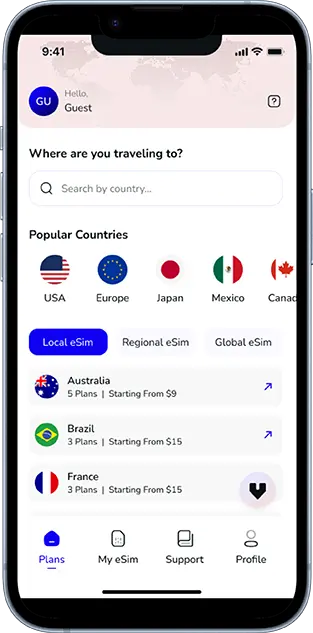
5. Invest in an International eSIM
A reliable eSIM provider like Voye Global can give you access to multiple networks in over 130 countries. eSIMs are incredibly useful as they allow you to switch between providers without needing a physical SIM card — keeping you connected even if one network goes down.
What to Do During an Internet Outage
If you suddenly lose connectivity during your travels, don’t panic. Follow these steps to manage the situation effectively:
1. Assess the Scope of the Outage
Check if the issue is:
- Specific to your device
- Limited to a particular area (like a café or hotel)
- Widespread across the region
Ask locals, check with your hotel reception, or use any remaining mobile data to search for outage reports.
2. Connect to Offline Tools
Open your offline maps and saved documents to orient yourself. Use downloaded entertainment to pass the time if you’re waiting for service restoration.
3. Find Alternative Networks
Look for:
- Cafés, restaurants, or coworking spaces with free Wi-Fi
- Public libraries or transportation hubs
- Alternative mobile networks if you have dual SIM or eSIM capabilities
Pro tip: Use apps like WiFi Map to locate nearby hotspots.
4. Communicate Using SMS or Voice Calls
Even when the internet fails, traditional SMS or phone calls often still work. Make sure you have some local credit or a roaming plan that includes voice and SMS services.
5. Use Local SIM Cards as a Backup
If your eSIM or primary SIM provider faces outages, consider purchasing a local SIM card from a different carrier. Diversifying your providers increases your chances of staying connected.
6. Practice Offline Communication
Learn a few basic phrases in the local language. If translation apps aren’t working due to connectivity issues, this can help you navigate situations or ask for help.
Staying Productive Without Internet
For digital nomads and remote workers, an internet outage can feel catastrophic. Here’s how to remain productive:
1. Focus on Offline Tasks
Use this opportunity to:
- Draft blog posts or reports
- Edit photos and videos
- Organize files and clean up your device
- Brainstorm future projects
Productivity apps like Notion, Evernote, and Microsoft OneNote often have offline modes.
2. Reflect and Journal
Take time to write about your experiences, reflect on your journey, or plan upcoming activities.
3. Network in Real Life
Engage with fellow travelers or locals. Offline conversations can lead to valuable connections and unforgettable experiences.
4. Embrace a Digital Detox
Sometimes, an outage is a blessing in disguise. Use this time to unplug, relax, and immerse yourself fully in your surroundings.
Safety Tips When You’re Offline
Being offline in an unfamiliar place can make you feel vulnerable. Keep these safety tips in mind:
1. Stay Aware of Your Surroundings
Without GPS or internet, rely on visual landmarks, printed maps, or guidance from locals to navigate safely.
2. Share Your Itinerary in Advance
Let friends or family know your travel plans beforehand, including accommodation details and expected check-in times.
3. Keep Emergency Numbers Handy
Have local emergency services, your country’s embassy, and trusted contacts saved offline.
4. Use Power Banks
Internet outages often coincide with power outages. Carry a reliable power bank to keep your devices charged.
5. Avoid Risky Areas
Without access to real-time updates, avoid areas known for safety concerns, especially at night or during large gatherings.
Reconnecting: Steps to Restore Internet Access
Once the outage ends, there are steps you can take to restore and optimize your internet connection:
1. Restart Devices and Reconnect
Sometimes, your device needs a simple reset to reconnect to available networks.
2. Troubleshoot Network Settings
Ensure your airplane mode is off, reset your network settings, or manually select a mobile carrier.
3. Contact Your Provider
Reach out to your eSIM provider or local carrier for updates or support. With services like Voye Global, 24/7 customer support is often available.
4. Update Offline Apps
Once you’re back online, update your offline apps and download new content for future use.
5. Backup Your Work
Immediately sync and backup any offline work, photos, or documents to cloud services to prevent data loss.
Long-Term Solutions for Frequent Travelers
If you travel often, consider adopting long-term solutions to minimize the impact of internet outages:
1. Use a Global eSIM Provider
As mentioned, Voye Global is an excellent choice for global travelers. It allows you to switch between networks seamlessly, giving you higher reliability.
2. Invest in a Portable Wi-Fi Hotspot
Devices like Skyroam or Solis provide global internet access via virtual SIMs. They’re especially useful in rural areas where mobile coverage is patchy.
3. Subscribe to Premium Wi-Fi Plans
Airports, hotels, and airlines sometimes offer premium Wi-Fi subscriptions that ensure better bandwidth and fewer outages.
4. Download Regional Apps
Some regions have dedicated apps for offline use — from transport timetables to language translation tools.
5. Consider Satellite Internet
For remote adventurers, satellite internet providers like Starlink offer cutting-edge solutions, though it comes at a higher cost.
The Silver Lining of Being Offline
While internet outages can be inconvenient, they also offer unexpected advantages:
- Mindful Travel: Disconnecting helps you experience destinations more deeply and authentically.
- Quality Time: Spend uninterrupted time with travel companions or locals.
- Creative Boost: Without distractions, your creativity can flourish.
- Mental Reset: A break from constant notifications can improve mental well-being.
So next time you face an internet outage while traveling, see it as an opportunity rather than a setback.
Conclusion
Traveling without internet access might seem daunting, but with the right preparation and mindset, you can navigate these challenges smoothly. By downloading essential offline tools, carrying backups, and staying adaptable, you’ll ensure that even in the absence of Wi-Fi or mobile data, your journey remains safe, productive, and enjoyable.
Remember, the world is meant to be experienced — not just through a screen but with your own eyes and heart. Stay prepared, stay safe, and embrace the adventure of being offline and abroad.
Global Coverage, Local Rates
Experience hassle-free connectivity wherever you go.
Seamless Mobile Data Everywhere














 English